Collaborators
Global PM, Wireless Mics
4 Engineers + Technical Program Manager
Sr. Design Manager, S&C
Industrial Designer
Systems Designer, Gaming
Project Length
6 months
Background
This project started when the Streamers & Creators business group identified an opportunity to gain marketshare. The majority of creators today are Lifestyle Mobile Creators, who needed a reliable wireless mic system & app to manage their devices. Existing solutions fell short, so Logitech acquired the Yeti Air Mic, a premium wireless mic solution that filled a gap in the market.
My Role
Solo Designer - UX, UI, Visual design
Working with the Magnetite Design System
This was the brand new design system I got to stress-test as the first guinea pig. I worked closely with the systems designer to contribute back to the system, and helped to improve the hand-off and implementation process.
Pain Points & Goals
User goals were translated from the pain points I identified. As for Project goals:
Scaleable: The long-term vision is for this app is for it to become the Google home for all of Logitech’s devices. This means it will need to scale to support all device types and groupings, which meant supporting additional levels of hierarchy, and possibly search / filtering.
Look & Feel: As the first mobile app for the S&C business group, we didn’t have digital guidelines yet, only print. So it would be important to ensure the look & feel brand adhered to the new Creator C sub-brand, which is meant to feel fresh, vibrant, fun & inclusive.
Scope
The scope ended up being these 4 parts. This study will cover the 1 & 2.
Designs

Round 0: Most intuitive, but not technically feasible.
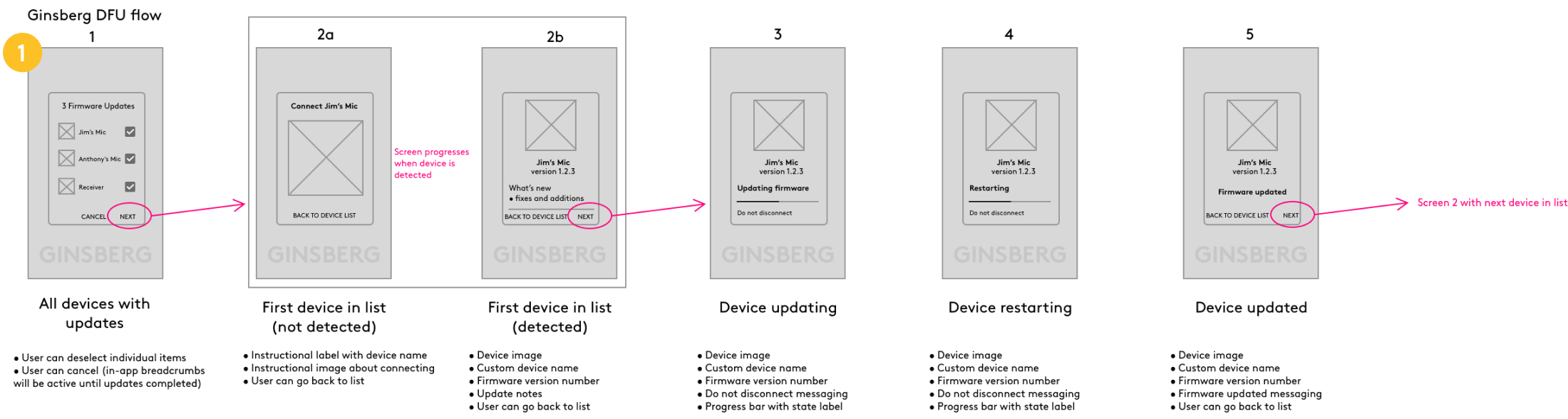
Formulating DFU Design Goals:
Make the flow as simple and frictionless as possible & to ensure users can successfully update all devices on the first try.
Account for all edge cases. So much can go wrong! What do we do if…
… the app is outdated?
… there’s a bug and the mics don’t get updated to the latest version?
… the device or phone battery is too low?
… there’s an incoming phone call or other Tier 1 phone interruption
… the user disconnects too soon?
… users lose a device or replaces it & connect something new?
Learned Design Constraints:
DFU process will BREAK if users go out of sequence.
ALL DEVICES must connect EVERY TIME there’s an update = long process!!
No way to save progress if users exit.
Round 4 (Final Design):

Home Screen Design Goals:
Provide a quick view of the key settings / status for all devices across the set.
Primary features:
Battery status
Gain
Dual / Mono Setting
Secondary features:
Audio Format
Realtime Backup
Explorations
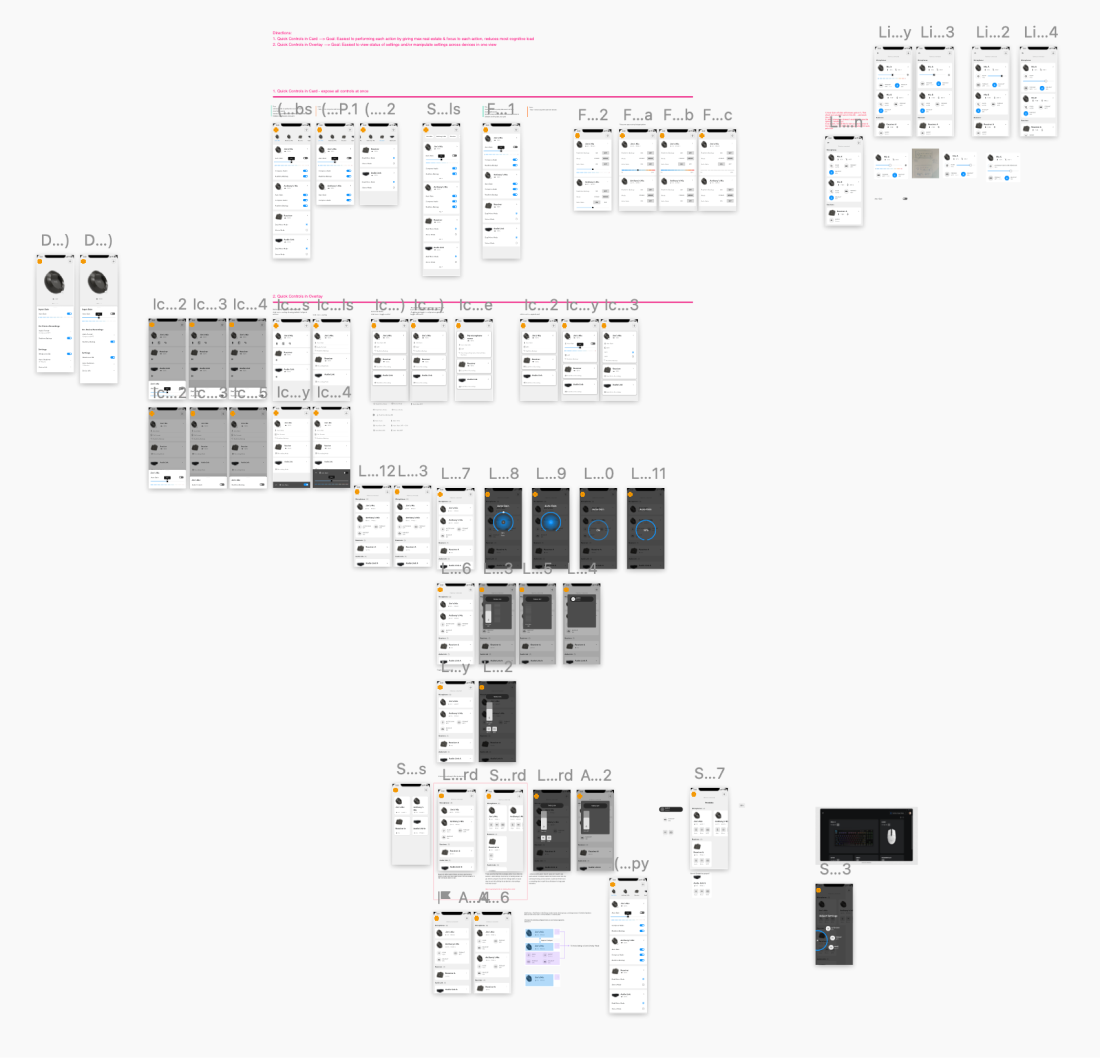
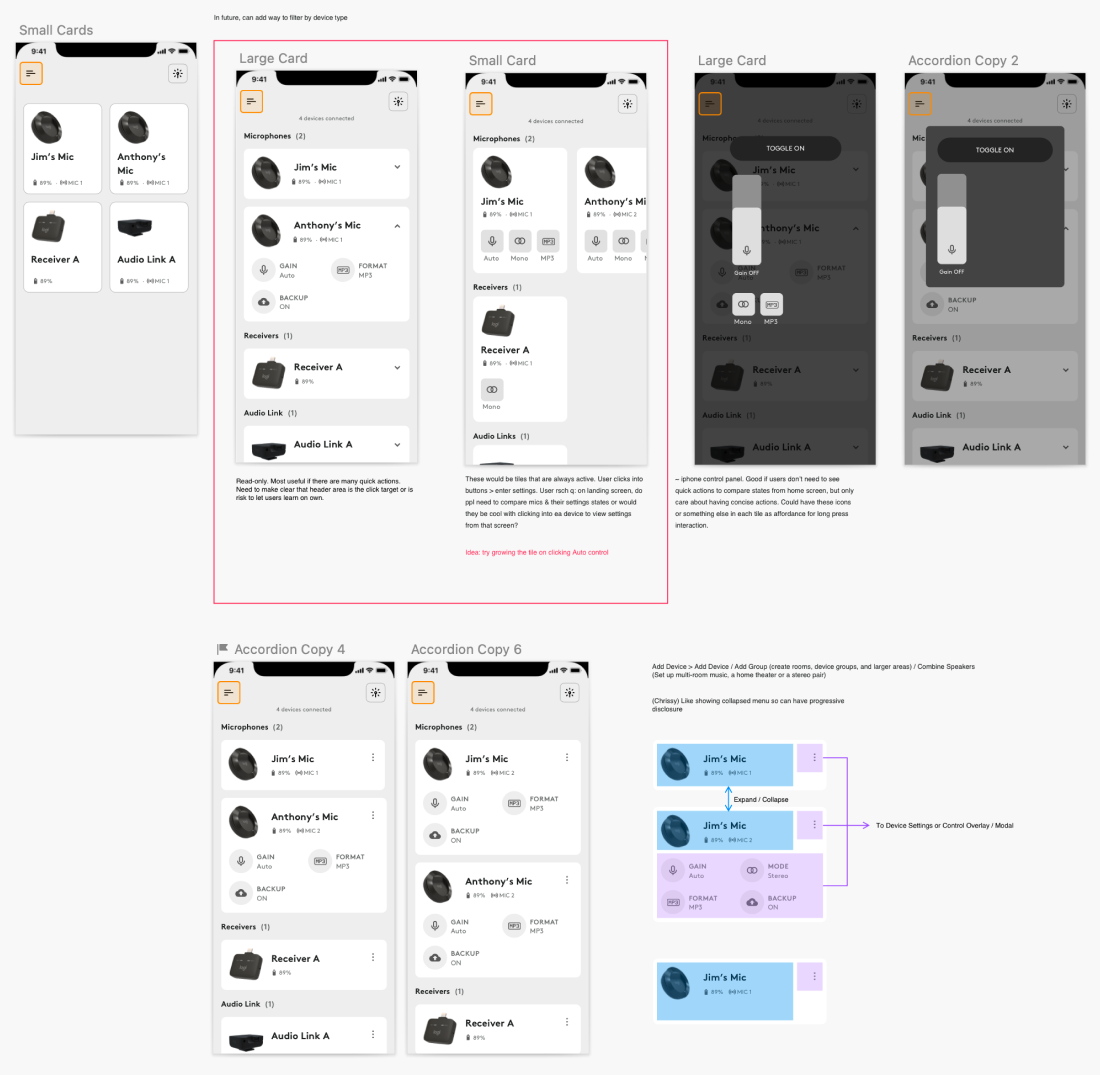
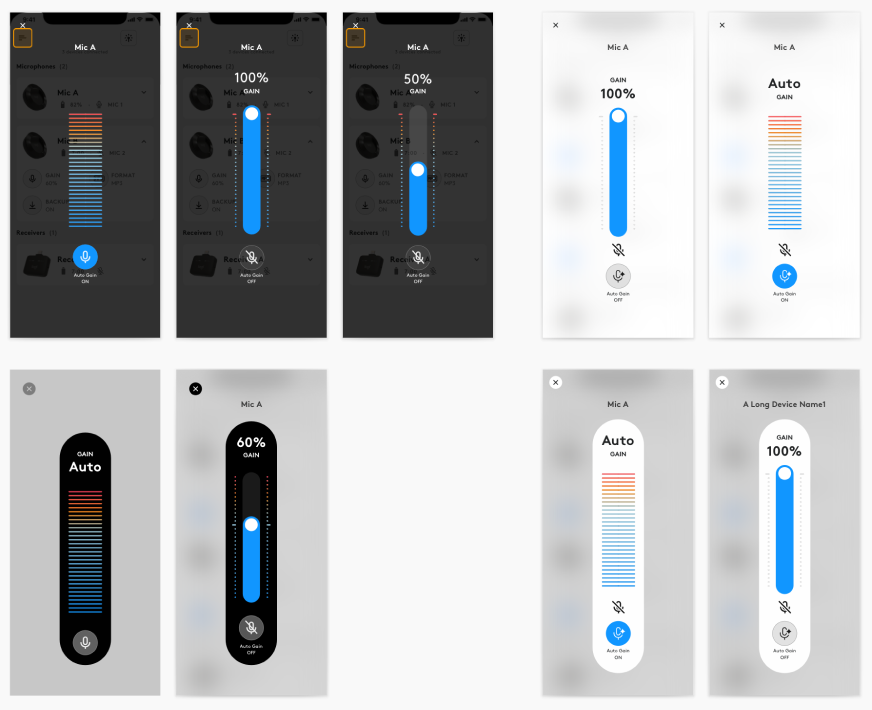
Incorporating User Insights
Before:
After:
Validation Criteria (Self Analysis):
Since the Blue Yeti Air is not yet released, I created some possible validation criteria for how we might measure success.
Can users manage their devices successfully (add devices, change settings, update)?
Can users quickly understand what’s going on with their devices and the light patterns?
Can users seek help & easily find their answers if they get stuck?
Are users excited to use the app & understands the value it provides?
Do users feel a sense of fun and inclusivity?
Learnings & Takeaways
+ Designing at the intersection of HW x SW
+ Hardware makes user testing really hard
+ Onboarding to a new team mid-flight
+ Big company things, but still scrappy
+ Designing for clarity is better than being clever
+ All the tools!!
I got to tinker in a lot of different tools including learning Photoshop & Illustrator overnight to make illustrations like these ‘lil guys and GIFs galore!